Download
the client.
Choose the package you need, then follow the launcher flow to install or update the client safely.
Choose your download method
Pick the package that matches your situation. The mini install is the fastest way to start; the full client contains the complete game archive.
Novo pacote de instalacao
For a new installationUse this package if you are installing the client for the first time.
Arquivo completo do cliente
For a complete archiveUse this when you need the full archive again after a major update.
Install & Update
Open the launcher, click Update, wait for 100%, then run Game.exe.
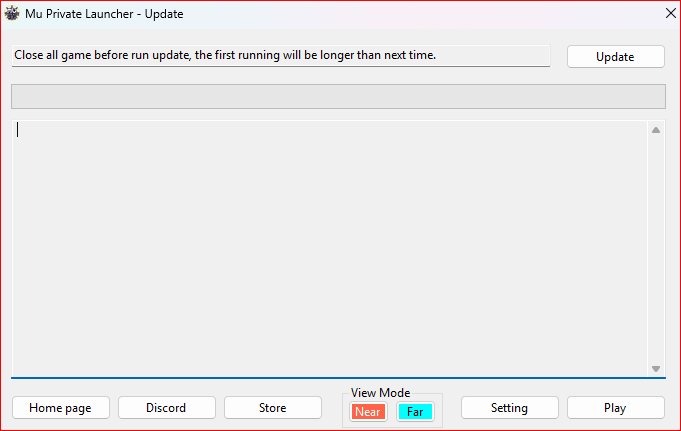
New installs and updates use the same flow: open the launcher, click Update, wait for 100%, then run Game.exe.
-
01
Abrir o launcher
Run MU Private Launcher from the client folder.
-
02
Clicar em Update
Wait until the progress bar reaches 100%.
-
03
Iniciar Game.exe
Start the game only after the update is complete.
Security Fixes
Use these notes if Windows Security, antivirus, or permissions block the client.
If Defender or antivirus blocks a file, restore it and add the game folder to exclusions.
Download only from the official links above to avoid modified or incomplete packages.
Do not mix old files with a new package. A clean folder patches faster.
If security software blocked a file, restart once and patch again.